
AI WEBSITE BUILDER + REAL SUPPORT
Your next website
starts with a conversation.
Describe your business. Create a first draft with AI. Get help from real people when you need it.
Explore your design first. Preview up to 3 concepts and create a prototype. Continue to the AI Website Builder when you are ready to build and publish.
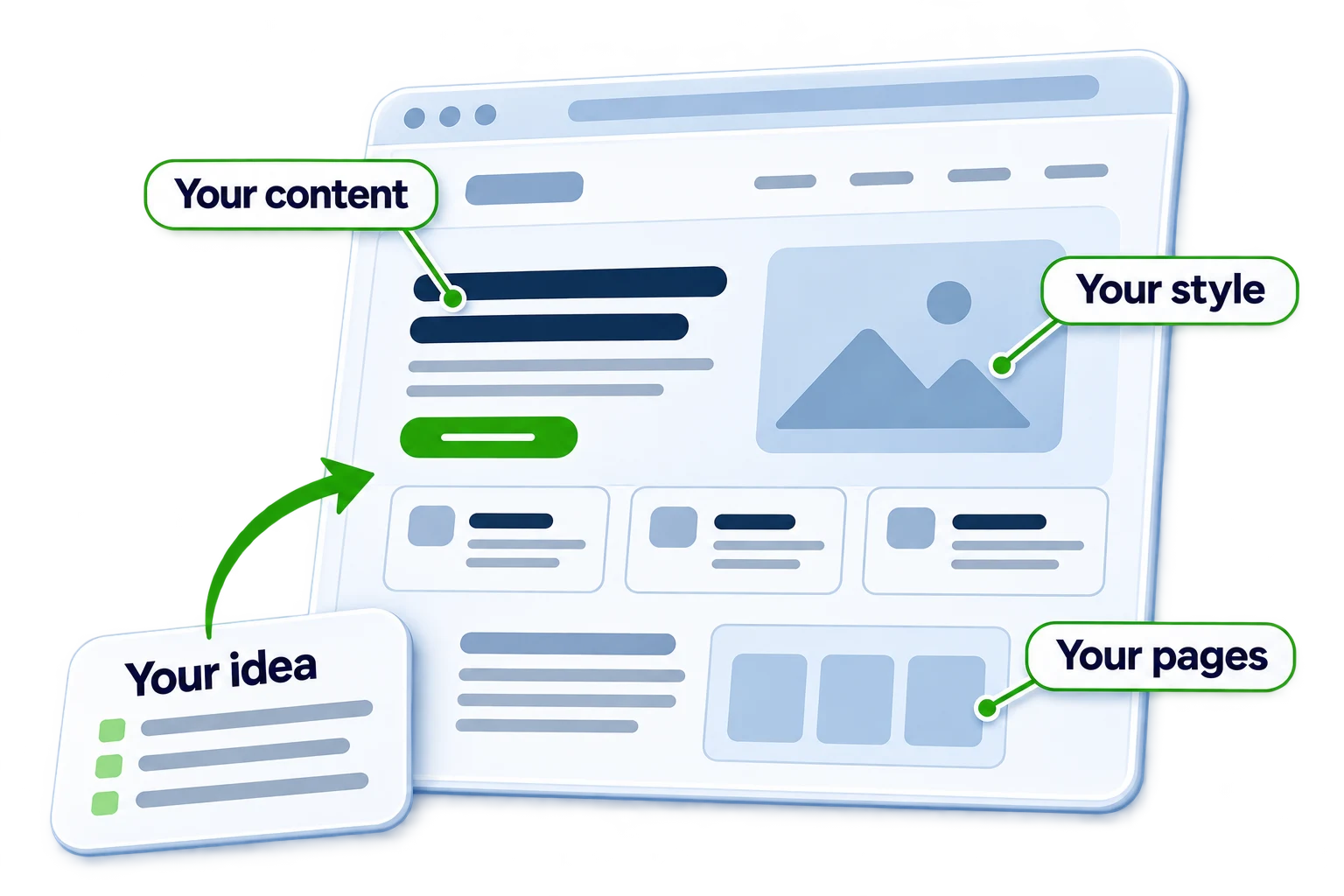
Your website concept to launch
-
Start with a chat
Share your idea or website address. The chatbot gathers details about your business and the site you need.
-
See the possibilities
Compare up to three full-page image mockups and choose your favorite design.
-
Create a prototype
Start with suggested pages or add your own. Annotate the preview or describe changes in chat.
-
Launch your website
Use your prototype as a guide. Choose hosting, connect your domain, and publish in the AI Website Builder.
1
Start with a chat
Share your idea or website address.
The chatbot gathers details about your business, customers, and goals, then recommends a design direction. Bring your logo, photos, and preferred style, or start with a new idea.
- Start from a website address or a new idea
- Bring your logo, photos, and preferred style
- Plan the next action you want visitors to take
Tell me about your business and what you’d like your website to do.
We’re a lakeside restaurant. We want people to see our menus, live music, and outdoor dining.
Do you have an existing website I can review, or are we starting fresh?
Yes, we have a website and a logo we’d like to keep.
Great. Share the public website address. I’ll use it to help shape your design options.
2
See the possibilities
Compare up to three full-page mockups.
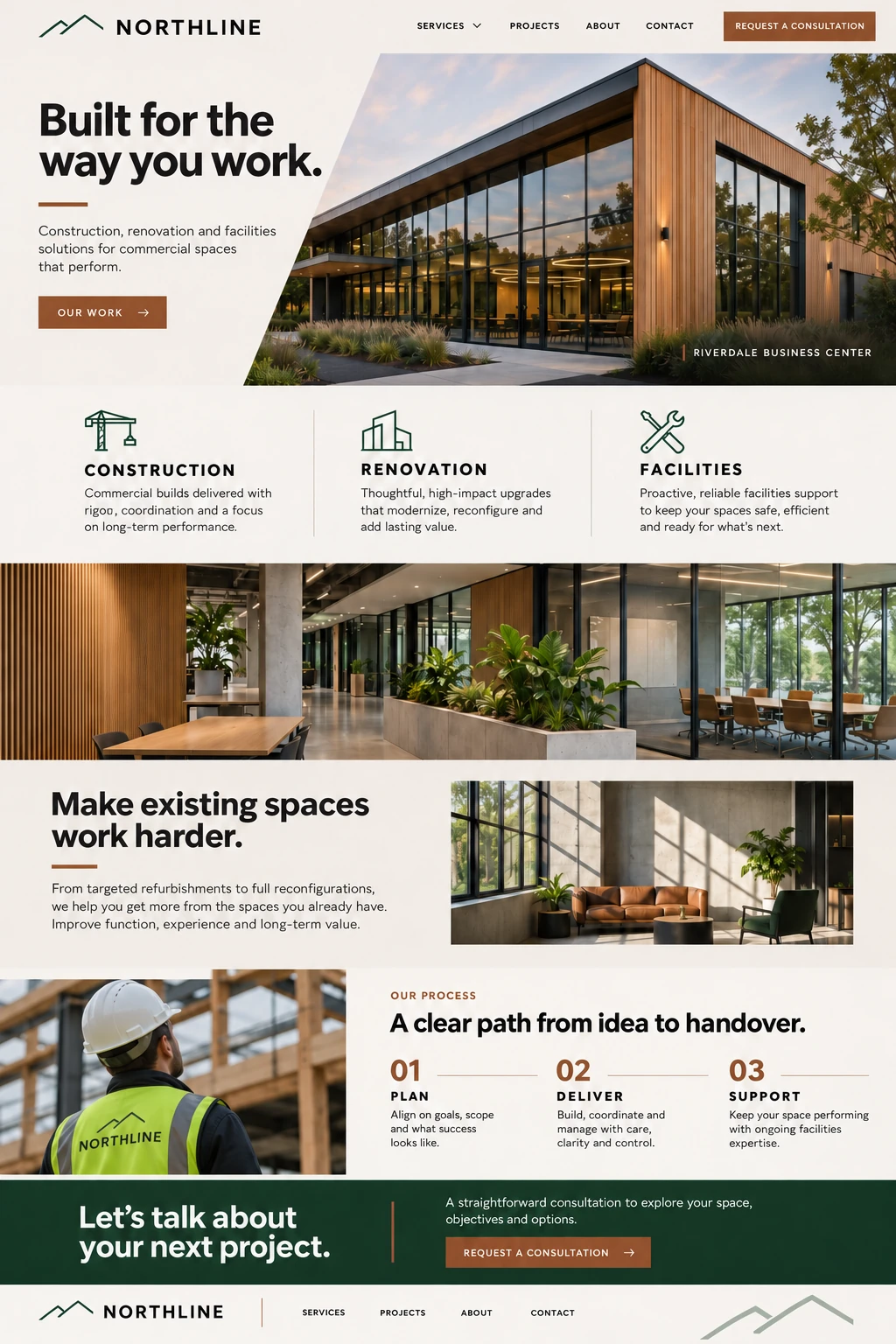
Generate up to three distinct image mockups of your new website. Review each complete page and select your favorite before creating a prototype.



3
Create a prototype
Turn your selected design into an editable preview.
Start with suggested pages or add your own. Annotate changes in the preview, or describe them in chat, and AI will update the prototype.
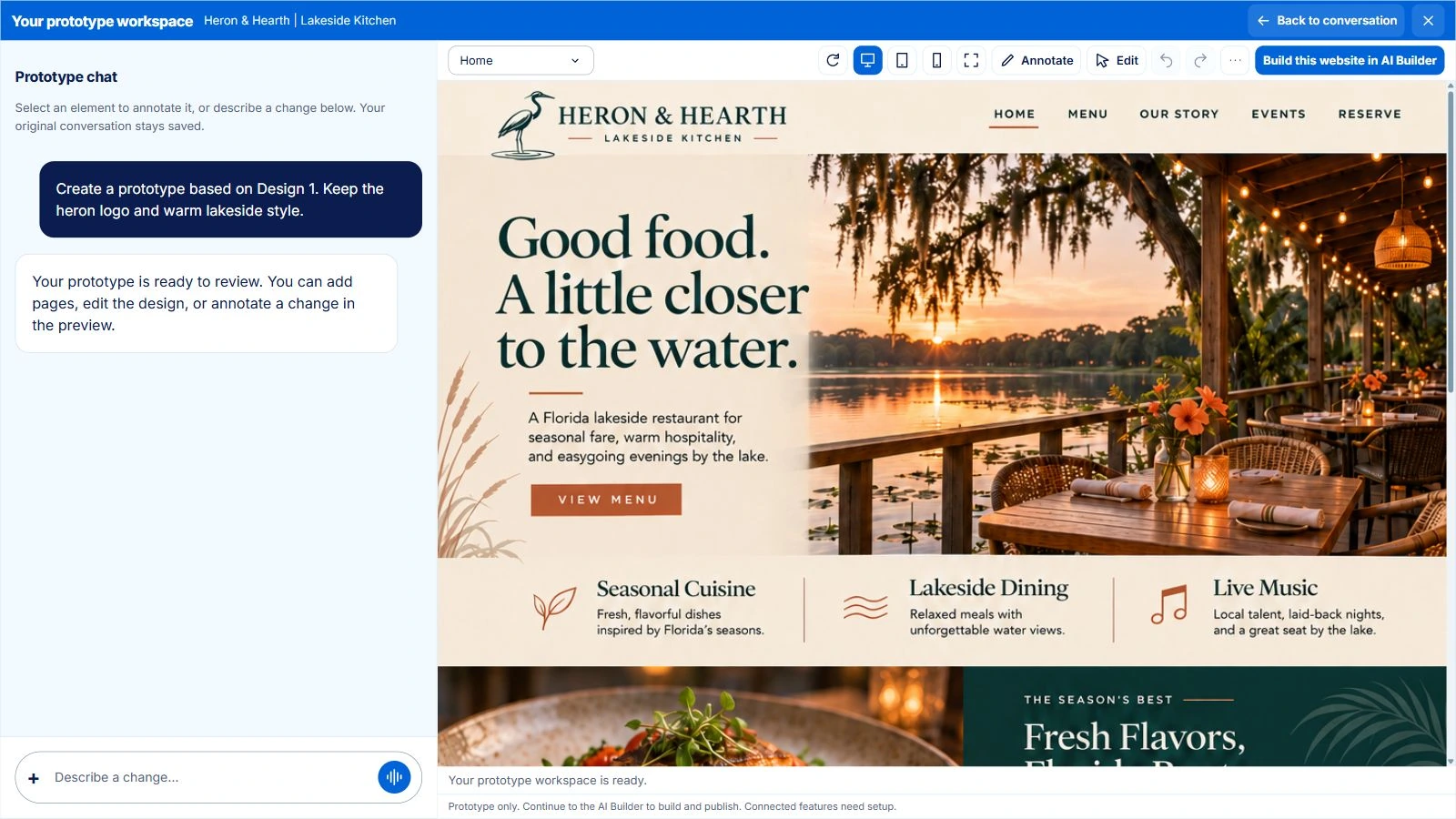
A closer look at editing
“Make the menu easier to find and add a section for live music.”
Use chat to describe a change, or point to the part of the page you want to refine.
The pages you need
Plan a landing page or a multi-page site with content shaped for each page.
Changes you can point to
Chat, annotate, and edit in the same workspace as you refine the design.
Room to get it right
Review images, copy, links, and layouts across desktop, tablet, and phone.
4
Launch your website
Use your prototype as a guide for the finished site.
Continue to the AI Website Builder to build and refine your website. Choose a hosting plan, connect your domain, and publish when you are ready.
- Build and refine your website with AI
- Publish directly to your hosting account
- Keep your website and hosting in one place
Review the finished website before publishing. Domain setup and connected features may need additional configuration.
From $40/month
Built with OpenAI and Claude
We use OpenAI and Claude to develop ideas, refine designs, and build your website. You can work in plain language and ask our team for help along the way.



Choose your AI Hosting plan.
Initial image concepts help you find a direction. Your paid AI Hosting plan adds ongoing website-building credits and the resources to publish your website.
Website essentials
Starter
Build and publish your business website.
$432 billed yearly
Renews at $40/month.
- 15 AI credits each month
- 10 GB storage · 100 GB transfer
- 2 addon domains
- No hosted email
- No SSH access
AI website building + hosting
Recommended for full hosting
Build
Add business email and full hosting tools.
$648 billed yearly
Renews at $60/month.
- 35 AI credits each month
- 25 GB storage · 250 GB transfer
- 5 addon domains
- Business email + full cPanel
- SSH access
AI website building + hosting
More room to grow
Grow
More credits, storage, and room to refine.
$1,080 billed yearly
Renews at $100/month.
- 85 AI credits each month
- 50 GB storage · 500 GB transfer
- 10 addon domains
- Business email + full cPanel
- SSH access
AI website building + hosting
For larger projects
Scale
The largest AI and hosting allowances.
$2,160 billed yearly
Renews at $200/month.
- 200 AI credits each month
- 75 GB storage · 1 TB transfer
- 15 addon domains
- Business email + full cPanel
- SSH access
AI website building + hosting
Billing, plan details, and what’s separate
Choose a plan to continue to your account. Existing draft owners can choose an available upgrade from their account.
Monthly equivalents are rounded; the full yearly charge is shown on each card when yearly billing is selected. Domain registration, human setup, and ongoing website care are separate.
AI credits renew monthly and do not roll over, including on yearly plans. Addon-domain allowances vary by plan. Domains and drafts share the account’s storage, transfer, and server limits. The free trial cannot publish a live website.
Find the right fit.
Compare AI building, hosting, and the tools included with each plan.
| Features | AI Hosting Starter$40/moChoose Starter | RecommendedAI Hosting Build$60/moChoose Build | AI Hosting Grow$100/moChoose Grow | AI Hosting Scale$200/moChoose Scale |
|---|---|---|---|---|
| Building & publishing | ||||
| AI credits each month | 15 | 35 | 85 | 200 |
| AI Website Builder | Included | Included | Included | Included |
| Publish on your own domain | Included | Included | Included | Included |
| Paid draft projects | Unlimited | Unlimited | Unlimited | Unlimited |
| Hosting & account tools | ||||
| Storage | 10 GB | 25 GB | 50 GB | 75 GB |
| Monthly transfer | 100 GB | 250 GB | 500 GB | 1 TB |
| Full cPanel dashboard | Limited | Included | Included | Included |
| Hosted business email | Not included | Included | Included | Included |
| SSH | SSH not included | Included | Included | Included |
| Addon domains | 2 | 5 | 10 | 15 |
| Databases | 5 | 10 | 25 | 50 |
| Server resources | ||||
| CPU allowance | 100% (1 core) | 200% (2 cores) | 300% (3 cores) | 400% (4 cores) |
| Memory (RAM) | 1 GB | 2 GB | 3 GB | 4 GB |
| Entry processes | 20 | 50 | 100 | 150 |
| Total processes | 100 | 200 | 300 | 400 |
| Disk I/O | 1 MB/s | 2 MB/s | 4 MB/s | 6 MB/s |
| Disk operations | 1024 IOPS | 1024 IOPS | 2048 IOPS | 2048 IOPS |
A few things to know before you start.
Clear answers about free designs, prototypes, and paid publishing.
What can I try for free?
Start a conversation and explore up to three initial full-page image concepts. You can then save an editable prototype with your name and email. The AI Website Builder has a separate 14-day trial with 3 one-time AI credits and 1 draft project. The free trial cannot publish a live website.
Is a prototype the same as a live website?
Your prototype is a working design preview where you can review pages and request changes. Continue to the AI Website Builder to build your website, check its content and functionality, choose paid hosting, and publish to your domain.
Can I start with my existing website?
Yes. Share your public website address so the assistant can learn about your business, content, and brand. You can also start from an idea. Reviewing a website does not change its files, DNS, or email.
How do OpenAI and Claude fit into the process?
OpenAI and Claude support the overall website experience, from developing ideas and reviewing designs to building your website. You work through Interactive Online and the AI Website Builder rather than connecting separate AI tools yourself.
Can I make changes without writing code?
Describe changes in chat, annotate your prototype, and use the workspace editing tools to refine the design. Continue in the AI Website Builder for the website build and further AI-assisted changes. Review generated content, links, and functionality before publishing.
What do I need to publish my website?
Choose an eligible paid AI Hosting plan, complete your account and billing details, connect your domain, and publish from the AI Website Builder when the website is ready. Domain registration and any human setup work are separate.
Is business email included?
Build, Grow, and Scale include business email and full cPanel tools. Starter does not include hosted email. All domains and drafts share the storage and server allowances of their hosting account.
Can a real person help me?
Yes. Interactive Online can help scope design, development, setup, or ongoing website care. These human services are separate from the AI Hosting subscription, and the work is agreed before it begins.
Let’s see what your
next website could be.
Start with a conversation. Explore the designs. Take it live when you’re ready.