
GETTING STARTED
Your website starts here.
A new idea. A custom build. A site to improve.
Explore design concepts and refine a prototype first. Choose paid hosting when you are ready to build and publish.
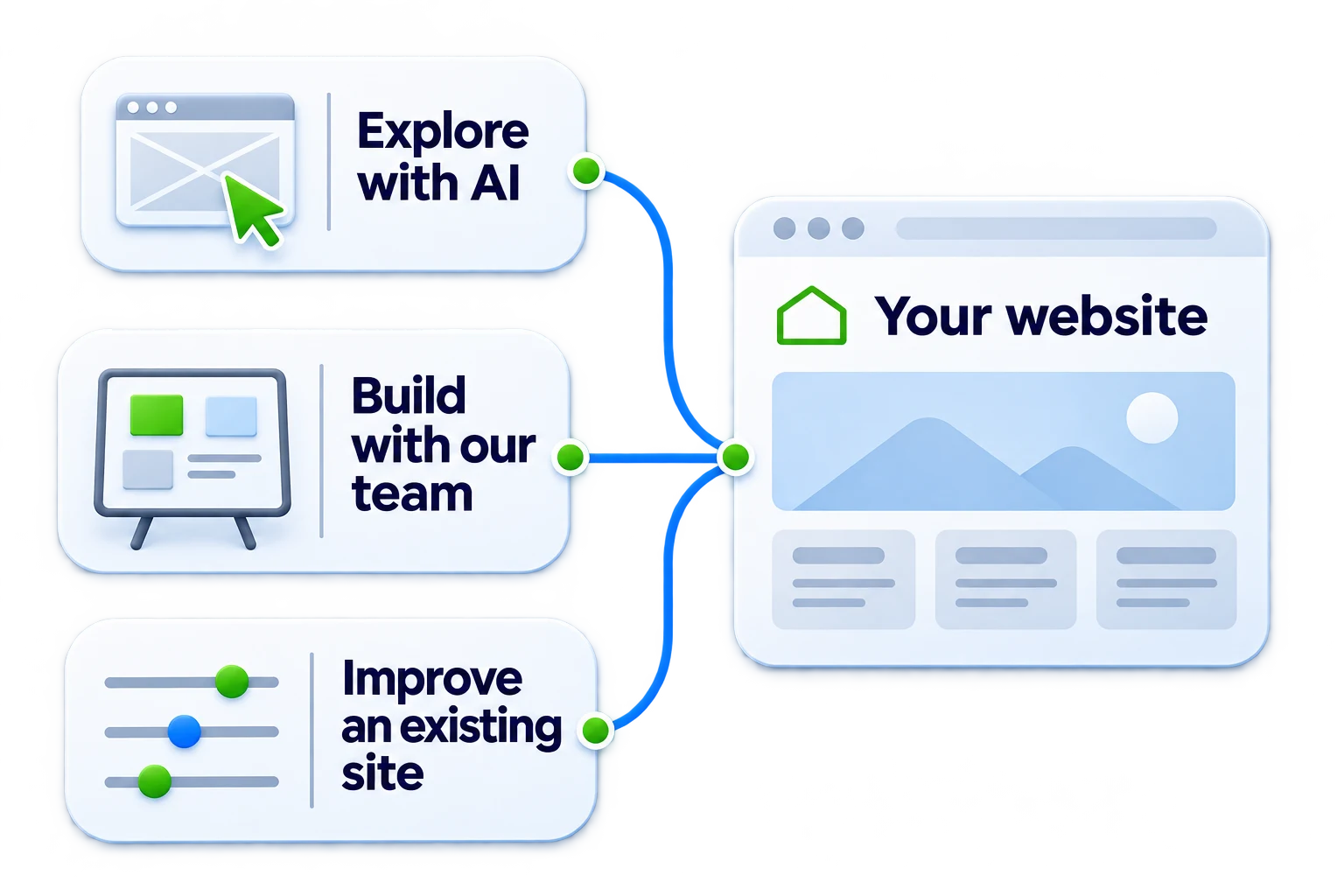
Start with the website you need.
Explore a new idea, improve an existing site, or choose hosting for a website you already have.
Explore with AI
Describe your business or share its current website. Talk through the audience, pages, and style before creating design concepts.
Plan a custom build
Discuss a WordPress website or Shopify store when you need a tailored design, features, and a defined project scope.
Host an existing website
Compare cPanel plans for your website and business email. Review your current setup before moving or changing an installation.
Already have a website you want to improve?
Start with a Website Refresh when the site’s structure still works and a few pages, layouts, or interactions need attention.
Give the conversation a useful starting point.
You do not need a finished brief. A few details help the assistant ask better questions.
Your business and audience
Explain what you do, where you work, and who the website should help. Share an existing public website if you have one.
Your pages and main action
Name the services, products, or information visitors need. Explain whether they should request a quote, book, call, or buy.
Your style and real content
Share a logo, preferred colors, and examples you like. Keep unconfirmed prices, reviews, and contact details as placeholders.
A prompt to get you started
Copy this prompt, or start a guided conversation about your website.
I want to build a new website or improve the one I have. Ask one question at a time, starting with my business name, then whether I have a website address. Learn about my audience, goals, pages, main action, and preferred style. Help me choose the right approach before creating designs.Plan your AI website
Turn a business idea into a clear brief, useful prompts, and a draft you can review before publishing.
Free guide · PDF, online guide, and editable worksheet
From your first idea to a live website.
Explore the design before you commit to publishing.
Talk it through
Share your idea or website. Answer the questions that shape the design brief.
Compare mockups
Create up to three full-page image mockups and choose the direction you want to develop.
Shape your prototype
Provide your project details, choose the pages, and refine the editable prototype in its workspace.
Build and Publish
Continue in the AI Website Builder. Review the website, choose paid hosting, and connect your domain when you are ready to publish.
The free trial includes 3 one-time AI credits and 1 draft. It cannot publish a live website. Hosting, domains, and human services are separate where stated in the plan.
Check the details before you share the link.
Review the finished website on a phone, tablet, and desktop. An image concept is a design reference, not a working website.
Content and identity
Confirm the business name, contact details, services, pricing, and rights to images. Replace or identify every placeholder.
Navigation and actions
Test menus, buttons, contact links, and forms through their confirmation step. Check that keyboard focus is visible.
Publishing and ownership
Check the domain and HTTPS. Agree who handles privacy notices, ongoing care, access, and backups.
Already have a website or hosting account?
Return to your current account to manage the existing service. Ask us to review the website and package before moving it, replacing an installation or adding a builder. Opening a builder does not automatically change your hosting subscription.
Turn the brief into a first draft.
Start with a conversation, compare design concepts, and shape your prototype. Continue in the AI Website Builder when you are ready to build. Choose paid hosting before publishing.