
CPANEL WEB HOSTING
Web hosting.
Business ready.
Host an existing website or build your own, with business email and cPanel tools for domains, files, databases, and WordPress. Compare plans to find the storage and traffic allowances that fit your website.
Choose the hosting that fits your website.
cPanel hosting for a website you bring or build yourself, or AI Hosting to build with AI. Compare the plans and choose your billing term.
Starter
For a smaller website.
Full cPanel access
$25 / month
$270 billed yearly
Renews at $25/month.
- 10 GB storage
- 150 GB monthly transfer
- Business email and webmail
- SSH access included
- AI website builder not included
Recommended cPanel hosting
Professional
For an established website.
Full cPanel access
$40 / month
$432 billed yearly
Renews at $40/month.
- 25 GB storage
- 250 GB monthly transfer
- Business email and webmail
- SSH access included
- AI website builder not included
Business
For a larger website.
Full cPanel access
$60 / month
$648 billed yearly
Renews at $60/month.
- 50 GB storage
- 500 GB monthly transfer
- Business email and webmail
- SSH access included
- AI website builder not included
Plus
For more storage and traffic.
Full cPanel access
$80 / month
$864 billed yearly
Renews at $80/month.
- 75 GB storage
- 1 TB monthly transfer
- Business email and webmail
- SSH access included
- AI website builder not included
AI Hosting Starter
Build with AI and publish your website.
Limited website dashboard
$40 / month
$432 billed yearly
Renews at $40/month.
- AI website builder · 15 credits each month
- 10 GB storage · 100 GB monthly transfer
- No SSH access
- No hosted email or WordPress builder
Recommended full hosting
AI Hosting Build
35 AI credits and full hosting for your website.
Full cPanel access
$60 / month
$648 billed yearly
Renews at $60/month.
- AI website builder · 35 credits each month
- 25 GB storage · 250 GB monthly transfer
- Business email and webmail
- SSH, FTP and file manager access
- Databases and WordPress management
AI Hosting Grow
85 AI credits and more room for your website.
Full cPanel access
$100 / month
$1,080 billed yearly
Renews at $100/month.
- AI website builder · 85 credits each month
- 50 GB storage · 500 GB monthly transfer
- Business email and webmail
- SSH, FTP and file manager access
- Databases and WordPress management
AI Hosting Scale
200 AI credits and full hosting for larger projects.
Full cPanel access
$200 / month
$2,160 billed yearly
Renews at $200/month.
- AI website builder · 200 credits each month
- 75 GB storage · 1 TB monthly transfer
- Business email and webmail
- SSH, FTP and file manager access
- Databases and WordPress management
Want to try AI first? Start a free draft, then choose a paid plan for more AI credits and publishing. Start Building Free →
Already a customer? View your current plan and renewal details in your account. Manage your hosting →
Prices are in USD, before applicable taxes. Yearly amounts are charged once per year. Yearly billing saves 10% on cPanel Hosting and AI Hosting compared with twelve monthly payments. Domains, human setup and website care are separate. AI credits refresh monthly and do not roll over.
Monthly prices are shown for both hosting types. Choose the billing term at checkout.
Everyday hosting,
all in one place.
Manage your website, email, files and account tools from cPanel. Meridian brings common hosting tasks together in a newer, organized interface.
Meridian offers nine interface languages. Your dashboard and available tools depend on your plan and enabled account features.
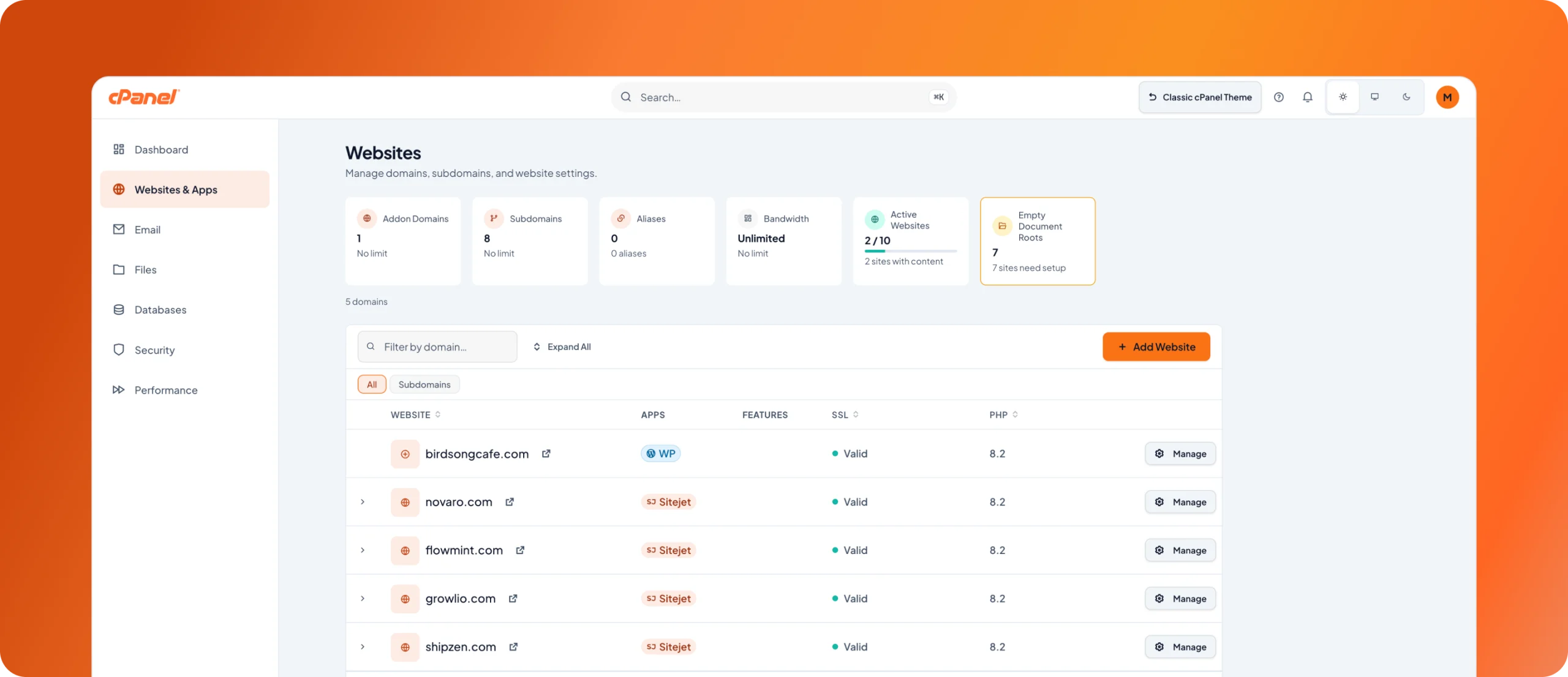
Official Meridian example from cPanel. Sample account values are not our plan limits. View full size.
More useful file tools
Show hidden files and extract archives from File Manager.
Clearer WordPress setup
Compatibility checks before installation, with setup that resumes if interrupted.
Better SSL visibility
See when a certificate does not cover your website’s domain.
Helpful answers,
right inside cPanel.
Ask questions about your hosting tools and get step-by-step guidance without leaving the dashboard.
- Understand email, SSL and storage settings.
- Follow instructions for common hosting tasks.
- Use your cPanel tools to make the changes.
The account assistant helps with hosting questions. The AI website builder creates and edits your site using the credits in AI Hosting plans.
cPanel AI AssistantHelp & guidance
How do I create a business email address?
Open the Email hub to create and manage mailboxes. I can explain the settings and walk you through the steps.
You make the changes in cPanel.
Get instructions, then use your account tools to complete the task.
Email setupSSL questionsDisk usage
Compare hosting tools and resources.
Choose cPanel Hosting or AI Hosting, then compare the tools and resources included in each plan.
Swipe to compare all plans.
| Features | Starter$25/mo · billed monthlyChoose plan | Professional$40/mo · billed monthlyChoose plan | Business$60/mo · billed monthlyChoose plan | Plus$80/mo · billed monthlyChoose plan |
|---|---|---|---|---|
| Hosting resources | ||||
| Storage | 10 GB | 25 GB | 50 GB | 75 GB |
| Monthly transfer | 150 GB | 250 GB | 500 GB | 1 TB |
| CPU allowance | 100% (1 core) | 200% (2 cores) | 300% (3 cores) | 400% (4 cores) |
| Physical memory (RAM) | 1 GB | 2 GB | 3 GB | 4 GB |
| Concurrent tasks (entry processes) | 20 | 50 | 100 | 150 |
| Total processes | 100 | 200 | 300 | 400 |
| Disk I/O speed | 1 MB/s | 2 MB/s | 4 MB/s | 6 MB/s |
| Disk I/O operations | 1024 IOPS | 1024 IOPS | 2048 IOPS | 2048 IOPS |
| Addon domains | 2 | 5 | 10 | 15 |
| Subdomains | Unlimited | Unlimited | Unlimited | Unlimited |
| Website building | ||||
| AI website builder | Not included | Not included | Not included | Not included |
| AI credits each month | Not included | Not included | Not included | Not included |
| Paid AI draft projects | Not included | Not included | Not included | Not included |
| Use your own domain | Included | Included | Included | Included |
| Email and account tools | ||||
| cPanel dashboard | Full hosting tools | Full hosting tools | Full hosting tools | Full hosting tools |
| Business email and webmail | Included | Included | Included | Included |
| SSH access | Included | Included | Included | Included |
| FTP and file manager | Included | Included | Included | Included |
| Database management | Included | Included | Included | Included |
| Database allowance | 5 | 10 | 25 | 50 |
| WordPress management | Included | Included | Included | Included |
| Choose your plan | Choose plan | Choose plan | Choose plan | Choose plan |
| Features | AI Hosting Starter$40/mo · billed monthlyChoose plan | RecommendedAI Hosting Build$60/mo · billed monthlyChoose plan | AI Hosting Grow$100/mo · billed monthlyChoose plan | AI Hosting Scale$200/mo · billed monthlyChoose plan |
|---|---|---|---|---|
| Hosting resources | ||||
| Storage | 10 GB | 25 GB | 50 GB | 75 GB |
| Monthly transfer | 100 GB | 250 GB | 500 GB | 1 TB |
| CPU allowance | 100% (1 core) | 200% (2 cores) | 300% (3 cores) | 400% (4 cores) |
| Physical memory (RAM) | 1 GB | 2 GB | 3 GB | 4 GB |
| Concurrent tasks (entry processes) | 20 | 50 | 100 | 150 |
| Total processes | 100 | 200 | 300 | 400 |
| Disk I/O speed | 1 MB/s | 2 MB/s | 4 MB/s | 6 MB/s |
| Disk I/O operations | 1024 IOPS | 1024 IOPS | 2048 IOPS | 2048 IOPS |
| Addon domains | 2 | 5 | 10 | 15 |
| Subdomains | Unlimited | Unlimited | Unlimited | Unlimited |
| Website building | ||||
| AI website builder | Included | Included | Included | Included |
| AI credits each month | 15 | 35 | 85 | 200 |
| Paid AI draft projects | Unlimited | Unlimited | Unlimited | Unlimited |
| Use your own domain | Included | Included | Included | Included |
| Email and account tools | ||||
| cPanel dashboard | Limited website tools | Full hosting tools | Full hosting tools | Full hosting tools |
| Business email and webmail | Not included | Included | Included | Included |
| SSH access | SSH not included | Included | Included | Included |
| FTP and file manager | Limited website tools | Included | Included | Included |
| Database management | Not included | Included | Included | Included |
| Database allowance | Managed by the builder | 10 | 25 | 50 |
| WordPress management | Not included | Included | Included | Included |
| Choose your plan | Choose plan | Choose plan | Choose plan | Choose plan |
Resource limits apply to the whole hosting account and are shared by all its sites. CPU 100% is one core of processing capacity. Entry processes limit simultaneous requests entering the account, not total visitors. IOPS measures disk operations per second.
AI credits refresh monthly, including on yearly plans, and do not roll over. Domains and draft projects share the plan’s storage, transfer and server limits. Addon-domain allowances vary by plan. Existing customers can check their current allocation in their account.
REAL PROJECTS. REAL FEEDBACK.
Websites we host and support.
Explore client websites supported through hosting and ongoing technical work. Design and development services are separate from hosting plans.

COMMUNITY & ASSOCIATION
The Dominion HOA
“Bringing our vision to life seamlessly.”

HOSPITALITY & ADVENTURE
El Pescador
“Their website support is fast, reliable, and always proactive. Dave has a real passion for our brand and consistently points out ways to improve. By far the best I’ve worked with.”

INDUSTRIAL SERVICES
ICS Service Tech
“Interactive Online completely rebuilt our website and absolutely nailed it!”
REAL ESTATE
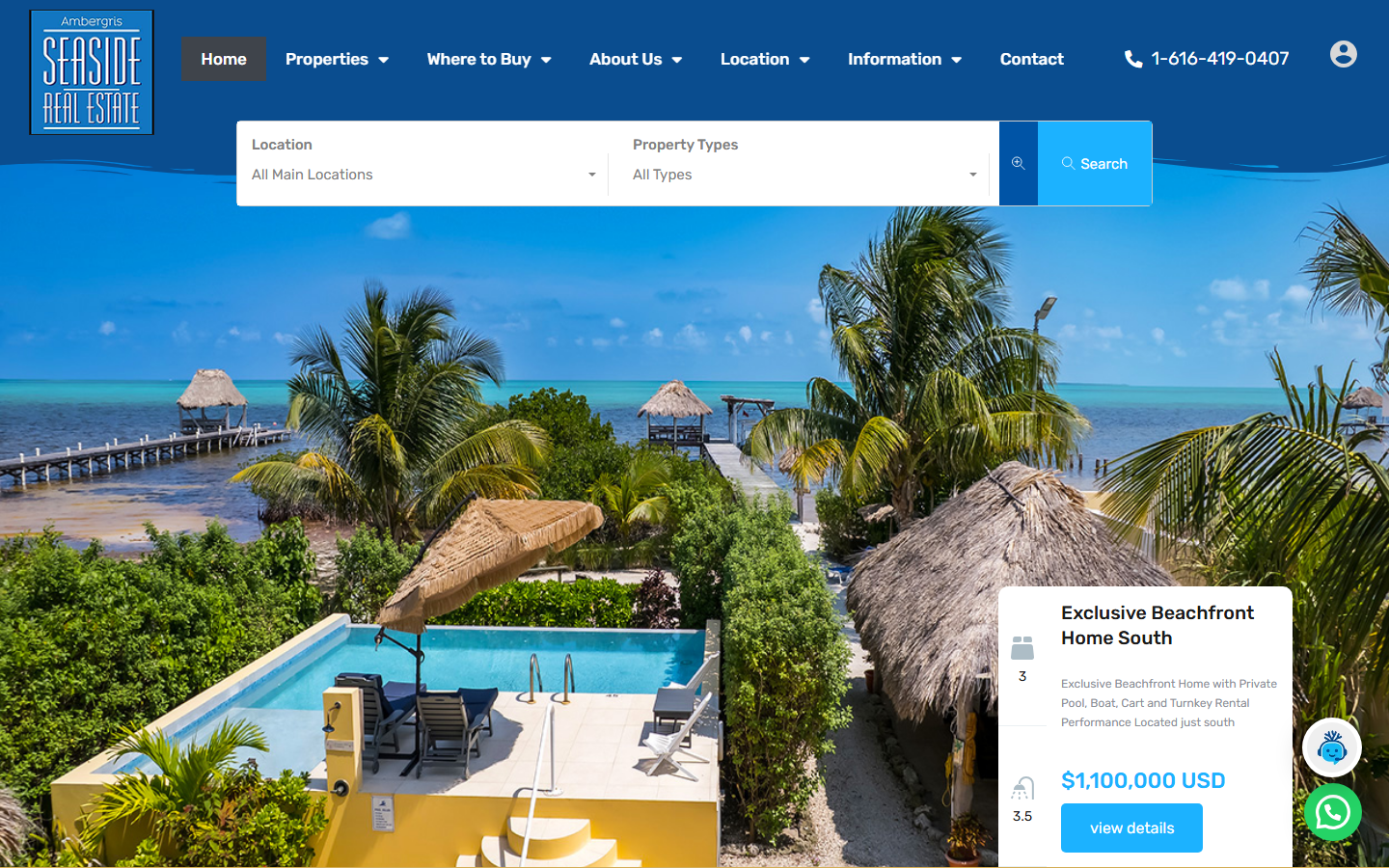
Ambergris Real Estate
Choose hosting with confidence
Compare website tools, email, recurring costs, and DNS requirements before buying hosting or moving a domain.

Free guide · PDF, online guide, and editable worksheet
Moving a website or email?
List the site, mailboxes, and domain you need to keep. Agree on what will move before changing DNS.
Review what you use
List your website, email, domain, and connected tools.
Choose your plan
Match hosting tools and resources to your website.
Prepare and transfer
Agree on the migration scope, back up the site, and plan the move.
Check and support
Test the website, email, and domain settings after the move.
A place for your
next web app.
Have a Node.js project ready to deploy? cPanel’s app-hosting tools can bring your code, database and deployment settings together.
Available on accounts with Web Apps and the required database features enabled. Hosting resources and app limits still apply.
Deploy your code
Start from a Git repository or ZIP upload, then review your build settings.
Connect MySQL
Create an app database or connect one you already own.
See what happened
Review deployment progress and messages when a build needs attention.
Check app health
Built-in checks identify common faults and send alerts when you need to act.
Building with an AI coding tool? App deployment and AI website-building credits are separate capabilities.
Set up a new hosting plan
Choose a plan and add your website. Connect your domain after you’ve checked that the site works on the new account.
Choose your plan
Compare cPanel Hosting and AI Hosting, then choose the storage, transfer and tools you need.
Create your account
Select monthly or yearly billing and complete your order. Existing customers can sign in to manage their services.
Add your website
Install WordPress or upload your site files. If you’re moving an existing website or email, contact support to discuss the transfer.
Connect your domain
Point your domain to the new account when the website is ready, check the website and email, and use the client portal whenever you need support.
Before you choose hosting.
Answers about plan features, migrations, AI credits and existing subscriptions.
What is the difference between cPanel Hosting and AI Hosting?
cPanel Hosting is for a website you bring or build yourself, with full cPanel tools, hosted email and SSH. AI Hosting includes the AI website builder and monthly AI credits. AI Hosting Starter has a limited dashboard without SSH access or hosted email. AI Hosting Build, Grow and Scale add full cPanel and email.
Can you move my existing website and email?
Yes. Choose your hosting plan online, then contact support if you need help transferring your website or email. Migration work is arranged separately so the website, mailboxes and DNS changes can be coordinated.
Does every plan include the AI website builder?
No. AI and monthly building credits are included only with AI Hosting plans. AI Hosting Starter includes 15 credits per month, Build includes 35, Grow includes 85 and Scale includes 200. cPanel Hosting plans do not include AI building credits.
Does AI Hosting Starter include full cPanel access?
It includes a limited website dashboard with AI building and publishing. SSH access is not included. Hosted email and the WordPress builder are not included. AI Hosting Build, Grow and Scale provide full cPanel and hosted email; existing draft owners can choose an available upgrade in their account.
Will these plans change my existing subscription?
The displayed prices and allowances apply to new orders. New cPanel Hosting accounts and AI Hosting Build, Grow and Scale accounts include SSH. AI Hosting Starter does not include SSH access. Existing customers can view their current package, allocation, SSH access and renewal details in their client account. Contact us before changing an existing service.
Does hosting include ongoing website development?
Hosting and AI building credits do not include human website changes, design or ongoing maintenance. Website care and development support are available separately. We can help you choose website care or development support alongside hosting.
Is the cPanel AI Assistant the same as the AI website builder?
They serve different purposes. The cPanel AI Assistant explains hosting tools and guides you through account tasks. The AI website builder creates and edits your site using the monthly credits included with AI Hosting.
Which hosting dashboard will I use?
Your dashboard depends on your package and enabled account features. Meridian groups common hosting tasks together. AI Hosting Starter has a limited dashboard; Build, Grow and Scale, and all cPanel Hosting plans, include full cPanel tools.
Can I deploy an app on every hosting plan?
App deployment requires an account with Web Apps enabled, compatible server software and enough resources for the application. MySQL connections also require the database feature. AI website-building credits do not automatically include app deployment.
Choose your hosting. Start building.
Compare features, then use the Choose plan button for the option you want. Select monthly or yearly billing before continuing.