
Quick Answer
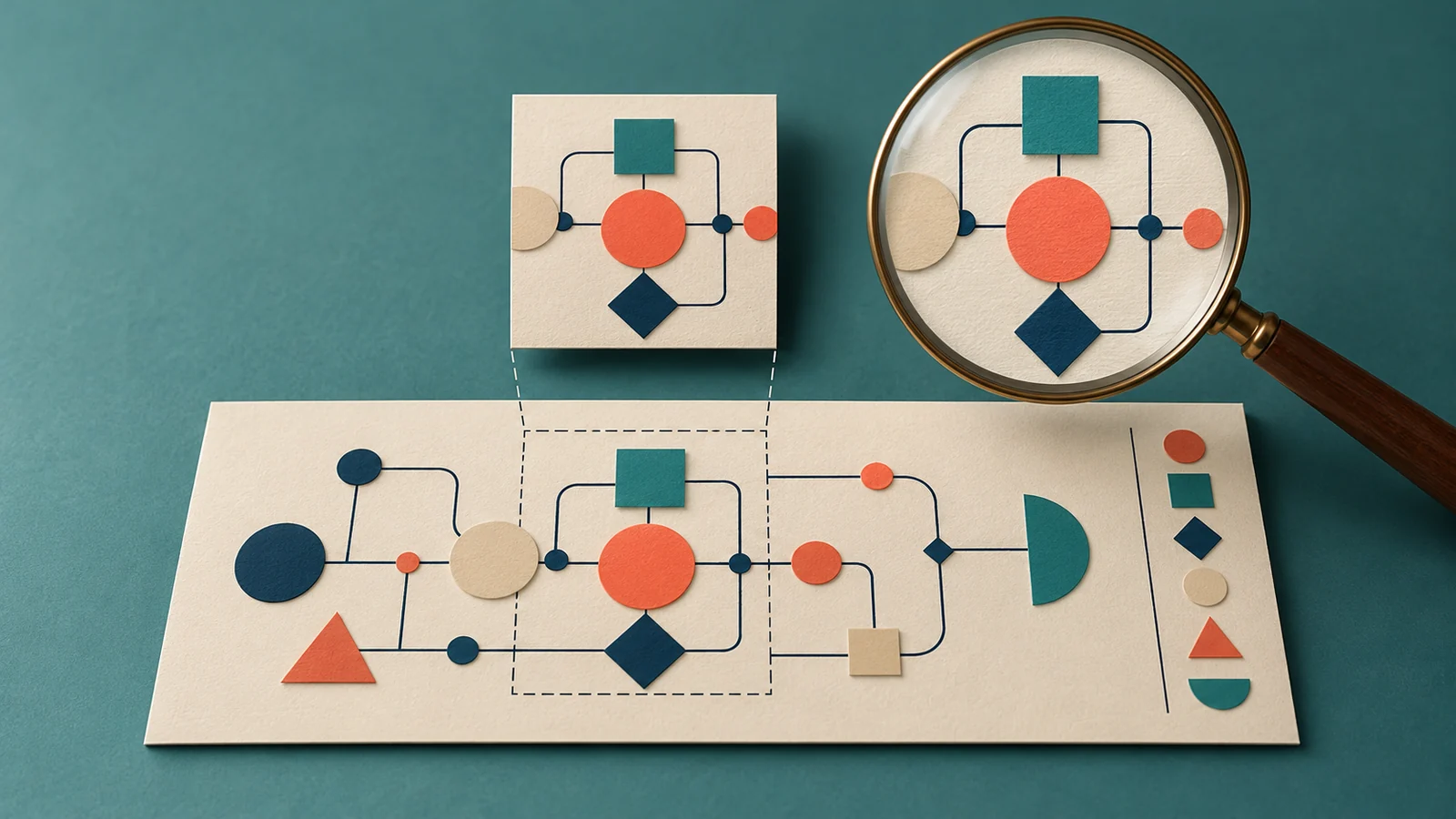
Before upscaling a WordPress image, identify the complete approved source and the file actually being displayed. A small cropped derivative may omit information that still exists in the original. Enlarging that crop does not establish what the missing original labels, legend or edges contained.
Diagnose a missing source area before adding pixels
The historical Divi AI upscaling tutorial demonstrates enlargement. Its processed examples are not evidence that every small image can recover accurate missing detail.
A source problem needs a different decision from a delivery-size problem. First ask whether the required information is present in the selected file, a different crop or the retained original.
Trace the WordPress image selection
The Image block guide describes resolution choices that depend on the theme and uploaded source. WordPress’s responsive-images reference explains generated sizes and browser selection from available candidates.
Keep the media identity, selected derivative and layout crop distinct. A complete source can be cropped by its placement; a cropped derivative can already be missing information before the layout receives it.
Recover one missing diagram legend
Consider an invented instructional diagram with a legend along its right edge. This is a proposed source-review exercise, not an image issue we observed:
- Observed asset
- The page uses a square thumbnail showing the diagram’s central shapes. The edge legend is absent from that file.
- Complete source check
- Locate the approved original and compare its full frame with the thumbnail. If the legend is present there, identify that source rather than asking an upscaler to invent a replacement.
- Recovery choice
- Prepare an appropriate complete derivative through an authorized asset workflow, then choose a placement that preserves the legend. Keep the old file and source relationship available for review.
- Unavailable evidence
- If the complete original cannot be found, mark the missing legend unresolved. A plausible generated label is not evidence of the original diagram’s meaning.
- Saved-page check
- After an approved replacement, inspect the file actually selected and the displayed crop. Confirm that the relevant information is readable rather than only confirming a larger pixel count.
Keep enlargement separate from factual acceptance
If enlargement is still appropriate after the source is established, compare the result with the original details that matter. Review factual lettering, diagram relationships and the final use before accepting the output. More apparent sharpness does not verify those details.
Where a dense legend belongs in article text, preserve its verified explanation as editable content rather than depending on a tiny picture. This article’s cover is a conceptual diagram, not a real source-and-upscaler test.
The website image-sizing guide covers dimensions and delivery. The AI image edit guide covers a bounded change within a scene, while the video enhancement guide reviews a different source-comparison task in motion.
Key Takeaways
- Identify the complete approved original.
- Distinguish selected file crop from layout crop.
- Recover missing information from evidence rather than generation.
- Verify the actual saved file and readable placement.
Frequently Asked Questions
Will enlarging a thumbnail restore its missing legend?
Do not assume so. Locate the complete source and establish what the legend actually contained.
Can the original be complete while the page still cuts it off?
Yes. Inspect the selected derivative and the layout’s cropping behavior separately.
What if the original is unavailable?
Keep the missing information unresolved or obtain an approved replacement from a suitable source. Do not present generated guesses as recovered facts.